
To Add A Mark, click on the chart where you want the mark. This will open the mark edit screen.
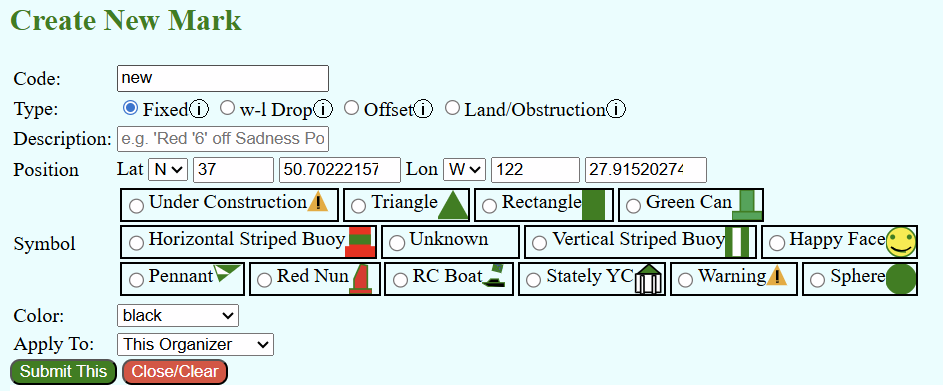
You have a lot of options to set.
The "Code" is what the mark is called in the sailing instructions.
"Type" determines how the mark is located or portrayed
- Fixed means a defined Lat/Lon.
- w-L Drop means set with relation to the wind and the course start.
- Offset means placed with reference to the prior mark based on the course direction.
- Land/Obstruction is used as a course constraint.
Add a Description for clarity.
Adjust the Lat/Lon as desired for fixed and land marks, or the offsets for offset and w-L marks. You can drag the mark around on the chart to change Lat/Lon.
Pick a symbol and a color or color scheme.
Finally choose whether this mark will be available to all regattas in the organization or just this regatta. Then hit "Submit This." Depending on your browser, you may need to refresh the page to make the mark appear in your lists.